Riders Purchasing a Fare
Riders purchasing a fare
U.S. Navy Employees • Visitors • Patients • Contractors • Residents

There are two ways to purchase your fare:
Option 1: Use TripShot
Best for frequent riders
Option 2: Use a QR Code or Direct Link
Best for one-time riders and visitors
Option 1: Purchase Through TripShot
Step 1: Download TripShot
Download the TripShot app from the Apple App Store or Google Play Store.
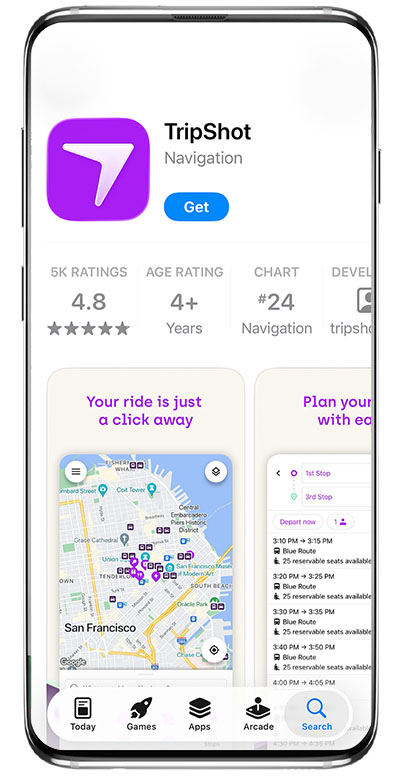
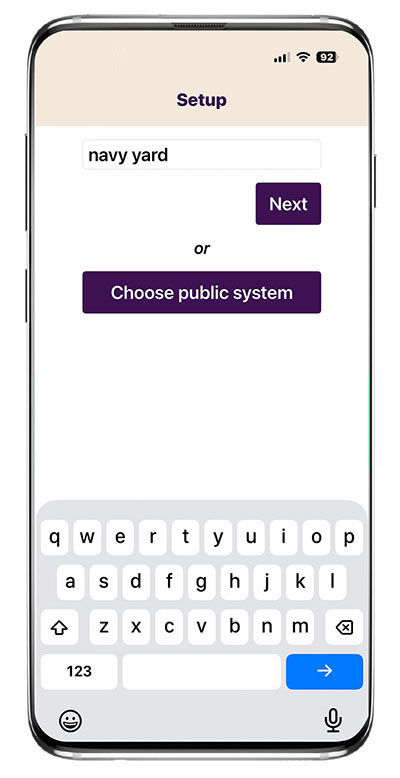
Step 2: Find Navy Yard Transit
- Open the app.
- Search Navy Yard
- Select Philadelphia Navy Yard
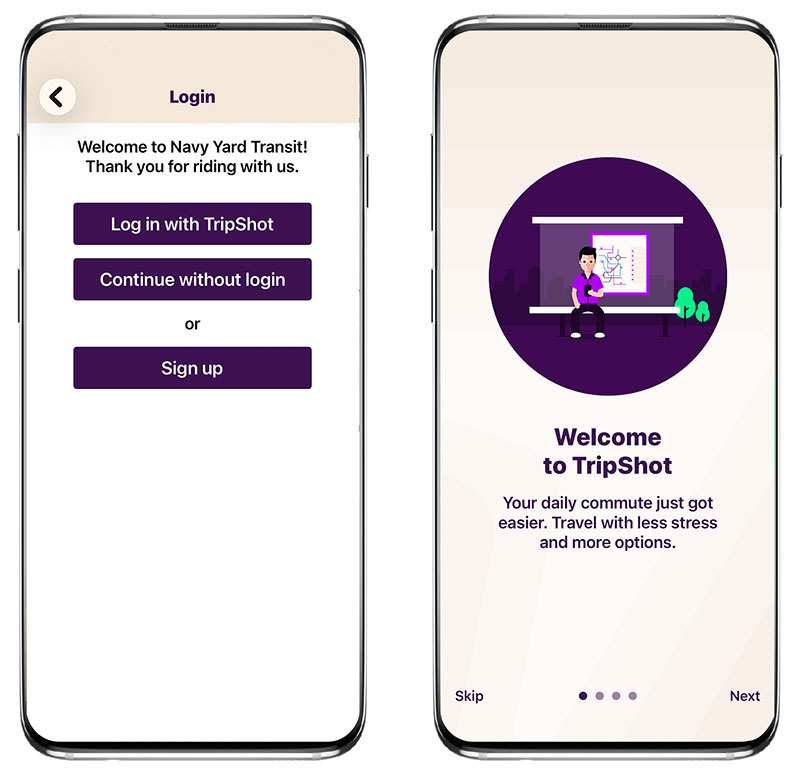
Step 3: Continue Without Login
- Tap Continue without login.
- No account is required to purchase a ticket. You will remain logged in and have access to all features within the app.
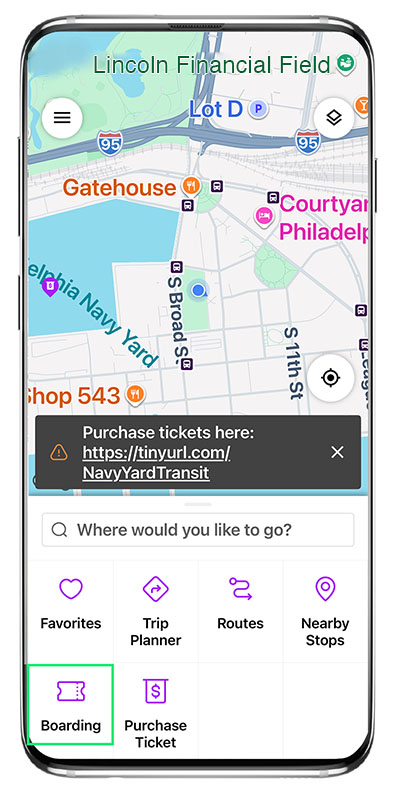
Step 4: Purchase Your Ticket
You can access ticket purchasing in two ways within the app:
- Tap the “Purchase Ticket” button located at the bottom of the screen
- Select the Purchase Ticket link within the app notices on the homepage
Both options will redirect you to the ticketing platform, where you can select and purchase your fare before boarding. After purchasing your fare, please also check your email’s spam folder for the ticket.
Step 5: Board the Bus
You’re Ready to Ride!
Use TripShot to:
- View buses in real time
- See passenger and bike capacity
- Receive rider alerts
- View SEPTA routes
Questions?
Contact Yankee Line at 215-649-8890 or navyyardtransit@yankeeline.us.
Option 2: Buy a Ticket Without TripShot
Step 1: Purchase a Ticket
Don’t want to download the app?
Simply scan the QR code posted onboard the bus, or click this link to purchase your ticket.
You’ll be taken to the ticketing platform to purchase your fare. After purchasing your fare, please also check your email’s spam folder for the ticket.
Step 2: Board the Bus
Ready to Board?
Have your valid QR code (ticket) ready to show the driver before boarding.
Questions?
Contact Yankee Line at 215-649-8890 or navyyardtransit@yankeeline.us.